🌅 Building Semantic Search for 100k+ Creative Assets
How I transformed a chaotic Dropbox archive into an AI-powered search system that understands concepts instead of filenames.
By Jameson Campbell
The problem wasn’t a lack of assets. It was a lack of discoverability.
At Sock Club, we had more than 100,000 creative assets sitting in Dropbox. Years of beautiful work that was effectively invisible. Finding a specific legacy design meant digging through deeply nested folders, guessing filenames, or relying on tribal knowledge.
Designers searched by concept. Sales searched under pressure, often mid-email or mid-call. The system only understood filenames.
This is the story of how I turned that functionally locked archive into a semantic visual search system that understands conceptual meaning. By moving away from rigid folder structures and toward a system that can actually “see” our work, we replaced hours of redundant recreation with seconds of discovery.
Logo credit: Baylor Meche & Rachal Berry
The Problem
While the archive was large, it was functionally locked. Filenames were inconsistent. Folder structures varied depending on who created them and when. Over time, this created a real operational bottleneck.
- • Designers regularly recreated assets because finding originals took too long
- • Sales had to interrupt designers to find relevant past work for clients
- • New hires relied on tribal knowledge just to locate basic brand files
We tested Dropbox Dash hoping for a quick fix, but it lacked the depth required for nuanced, semantic discovery of visual assets. It provided a search bar, not conceptual understanding.
To truly unlock the archive, we needed something purpose-built: an internal system that recognized meaning, not just metadata.
Requirements
After working closely with designers and sales, I defined a small set of non-negotiable requirements.
User requirements
- • Search by concept, not filename
- • Fast results across the entire library
- • Support PSDs, PNGs, and exports
- • Secure access to original files
- • Integration with HubSpot deals
- • A pipeline that could process 100k+ assets without manual intervention
The system needed to be simple, intuitive, and reliable. If it required training, it would fail.
Architecture Overview
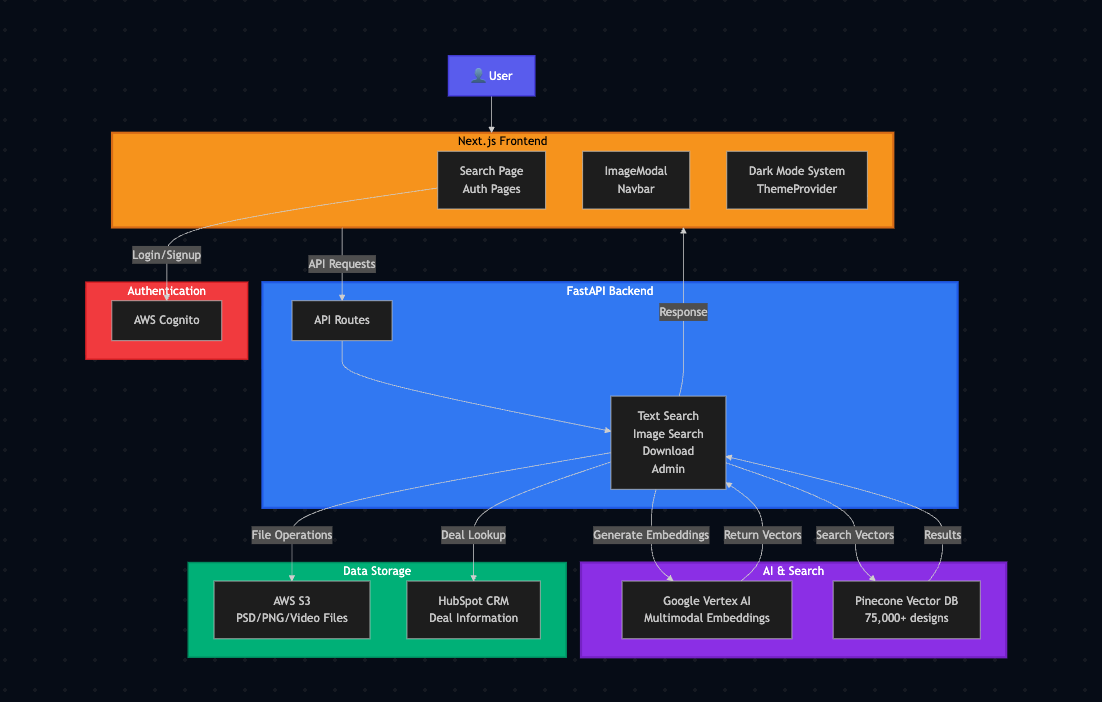
The system uses a shared mathematical “language” for both images and text, allowing users to search visual assets using natural language descriptions.
Tech stack
- • Next.js frontend on Vercel
- • FastAPI backend on Vercel’s serverless Python runtime
- • Google Cloud Vertex AI multimodal embeddings
- • Pinecone for serverless vector search
- • AWS S3 for asset storage
- • AWS Cognito for authentication
- • HubSpot API for CRM integration
- • PostHog for usage analytics
Data flow
- • Assets migrate from Dropbox to S3
- • Files are converted to PNG for previews and embedding
- • Vertex AI generates high-dimensional embeddings
- • Pinecone indexes vectors with rich metadata
- • User queries are embedded and matched semantically
- • The UI surfaces results with direct downloads and HubSpot context
Ingestion and Embedding Pipeline
Processing more than 100k assets required a pipeline that could survive failure.
Key challenges
- • Staying within model rate limits
- • Converting PSDs reliably
- • Skipping corrupt or unusable files
- • Recovering from long batch interruptions
- • Detecting duplicates before embedding
- • Handling PSDs that were effectively blank
Design choices
- • Batch execution with adjustable concurrency
- • Exponential backoff and retry logic
- • Dedicated PNG conversion pipeline
- • Pinecone pre-checks to avoid duplicate vectors
- • Metadata mapping for HubSpot integration
- • Progress tracking for multi-hour runs
The pipeline processed more than 253k embedding units. Total compute cost was $25, reduced to about $8 after credits.
Vector Database Strategy
Pinecone provided fast similarity search with minimal operational overhead.
Why Pinecone
- • Serverless architecture
- • Metadata-based filtering
- • High read performance
- • Smooth large-scale upserts
Index structure
- • Cosine similarity with 1,408-dimensional vectors
- • Each asset receives a “digital fingerprint” representing its visual and semantic essence
Conceptual vector example
[0.021, -0.114, 0.893, 0.004, -0.672, 0.318, … , 0.057]
Values capture latent features so similar designs remain mathematically close, even when filenames and folders are unrelated.
Search API
The FastAPI service handles:
- • Text and image queries
- • Embedding generation
- • Vector retrieval
- • Metadata hydration
- • Authorization checks
- • Secure access to original PSDs
Why Vertex AI
- • High-quality multimodal embeddings
- • Shared embedding space for text and images
- • Strong benchmark performance
- • Predictable latency
- • Cost efficiency at scale
Search results consistently return in under a second.
Frontend Experience and Workflow
The interface is not just a search bar. It’s an operational tool that connects creative assets to business context.
High-value workflows
- • Preventing redundant work by finding approved files instantly
- • Handling zero-context client requests by reverse-searching images
- • Surfacing complete brand histories for specific clients
Core functionality
- • Unified search for text, images, and client names
- • Direct links to HubSpot deals and internal projects
- • "Explore similar designs" using embeddings
- • Built-in asset flagging for quality control
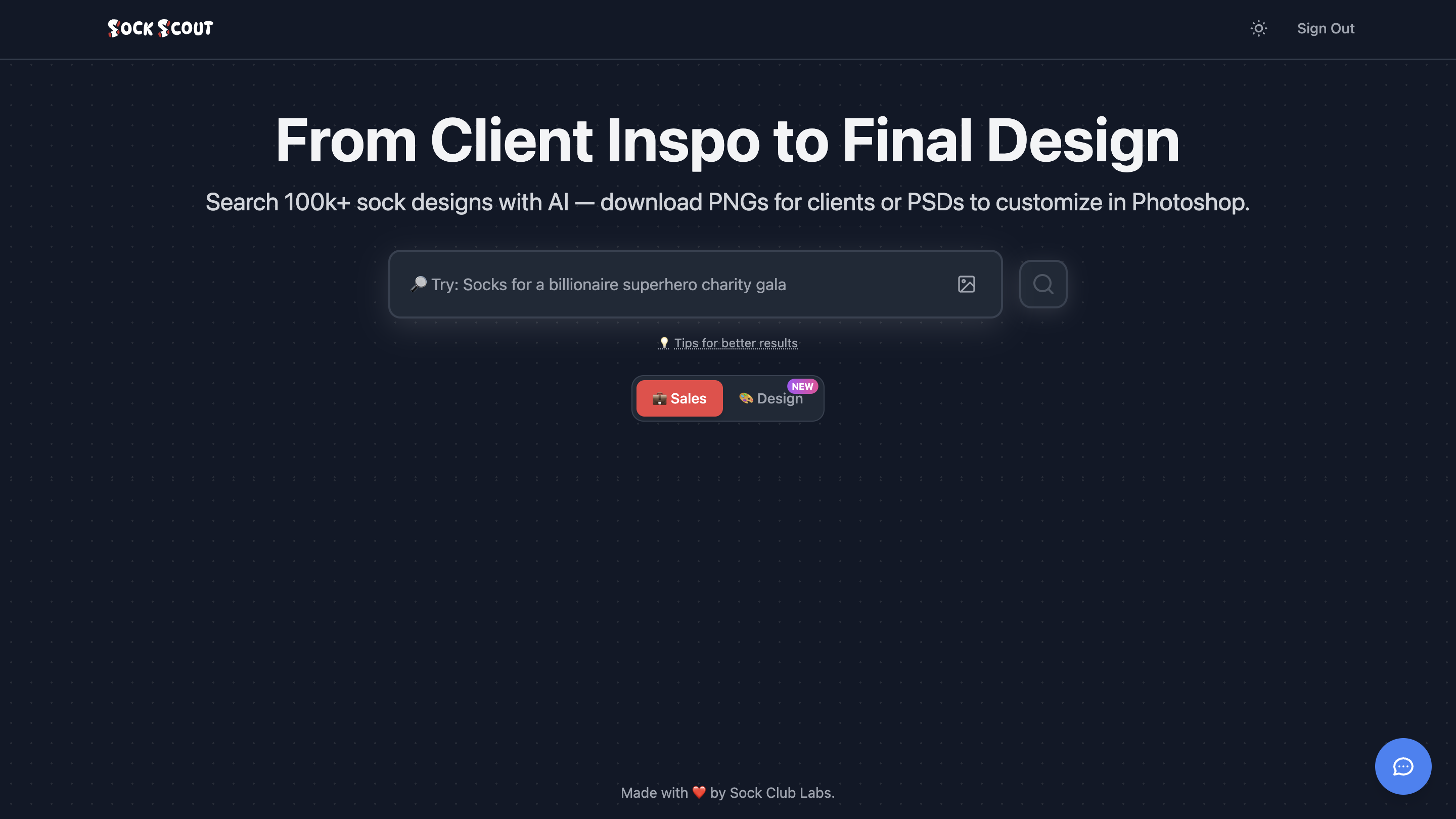
Home screen with unified search experience

A simple search for "Denver airport" instantly surfaces years of brand history, turning a needle-in-a-haystack search into a five-second win.
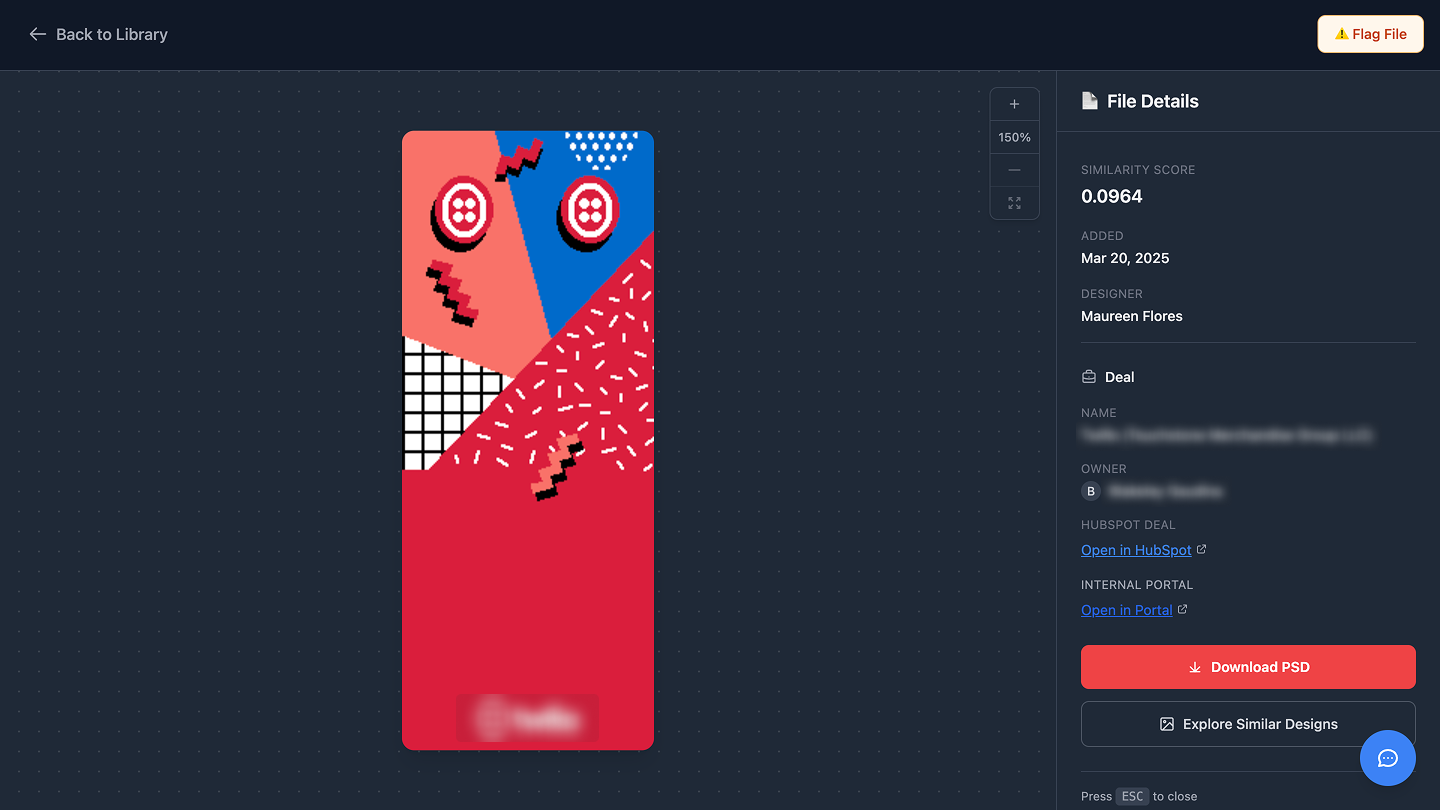
A simple search for "Denver airport" instantly surfaces years of brand history, turning a needle-in-a-haystack search into a five-second win.
Asset Quality Control
To maintain brand quality, I built a flagging system with four preset reasons. This calls out outdated or unusable assets within searches and gives designers a lightweight review workflow.
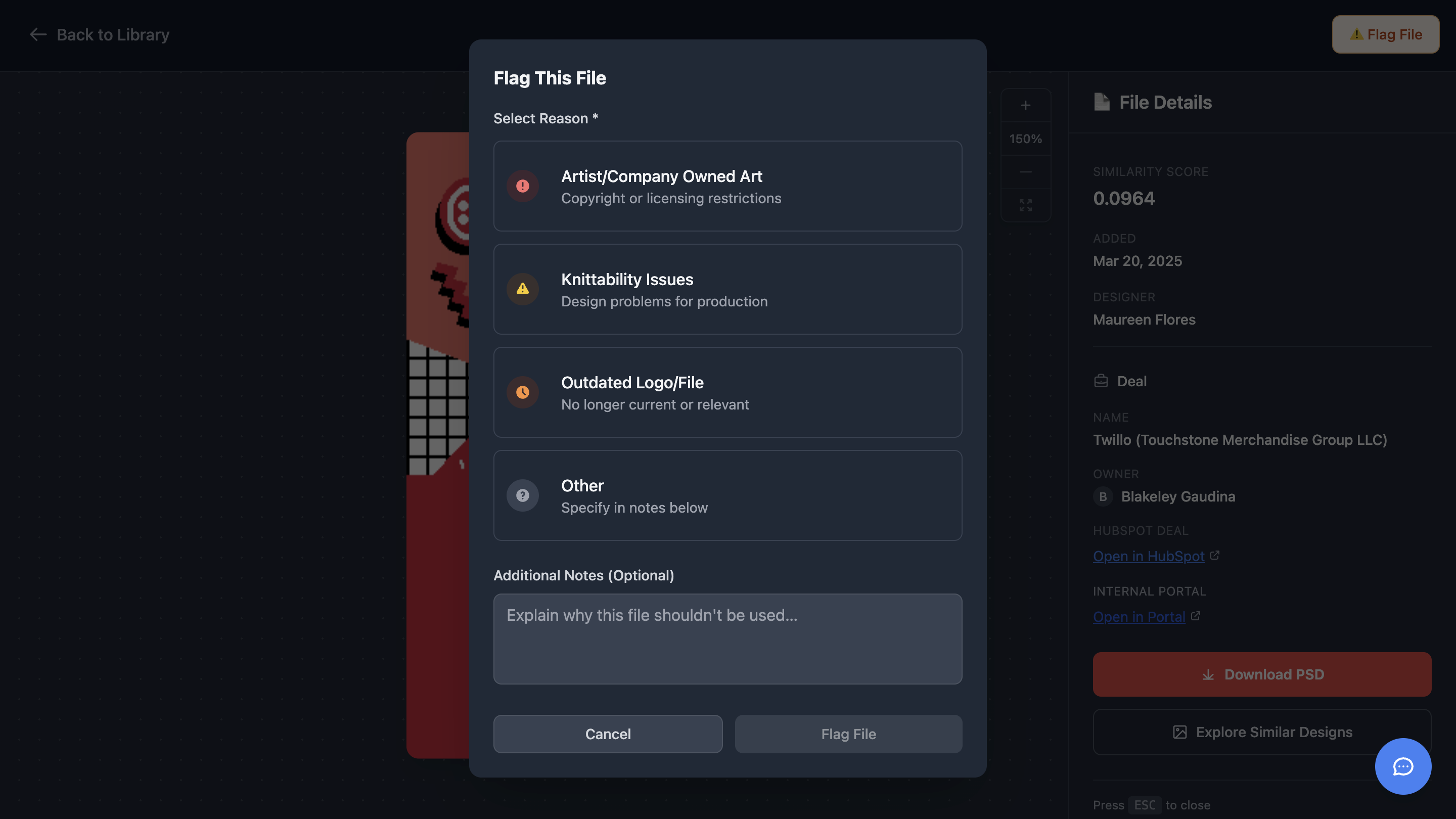
The integrated flagging system allows designers to mark assets with knittability issues or outdated logos, ensuring the team only references production-ready files.
Performance and Reliability
- • Search latency: 300–600 ms
- • Stable ingestion over multi-hour runs
- • Zero-downtime deployments
- • Full analytics and error tracking via PostHog
Cost Efficiency
The system runs for about $72 per month:
- • Pinecone: $50
- • Vercel: $20
- • S3: $1–2
- • Vertex AI: effectively zero after credits
The architecture scales without major changes.
Results
- • Search became ~10× faster
- • The internal team now completes 1,000+ searches per week
- • Designers stopped recreating work
- • Fewer interruptions to senior team members
- • Faster, more relevant sales follow-ups
Adoption was organic. No training or rollout was required.
"Sock Scout is phenomenal, by the way. I've used it many times this week and it has saved me so much time already. Thanks for building such an amazing tool for us!!"
Taylor Spence, Senior Designer
The biggest validation: people used it without being asked.
Lessons Learned
- • Metadata is a byproduct, not a requirement
- • UX drives adoption more than features
- • Pipelines must be resilient by design
- • Trust in search accuracy unlocks new workflows
Final Takeaway
Semantic search turns a static archive into a discovery engine. With modern AI tooling and a simple interface, a small team can build internal capabilities usually reserved for large engineering organizations.
This project reflects how I like to work: identifying real bottlenecks, designing pragmatic systems, and building end-to-end solutions that quietly make people’s work easier.